
Does Using WiFi Use Data? Truth About Mobile Data Usage(2026)
You connect to your home WiFi, open YouTube, watch a few videos, scroll through TikTok or Facebook, and maybe download a new app. Everything seems normal.
A few days later, you check your mobile carrier app and notice something strange.
Your mobile data is going down.
Now you’re wondering:
Does using WiFi use data?
You’re not alone.
This is one of the most common questions smartphone users ask, especially after seeing unexpected data usage on their monthly bill.
The good news is that WiFi itself does not normally use your mobile data plan. The bad news is that your phone can sometimes use cellular data in the background without making it obvious.
That’s where most of the confusion comes from.
Some people believe turning on WiFi automatically disables mobile data. Others think WiFi always uses phone data. Neither is completely true.
By the end of this guide, you’ll know exactly when WiFi uses your home internet, when your phone secretly switches to cellular data, and how to stop it from happening.
Does Using WiFi Use Data
Quick Answer: Does Using WiFi Use Data?
No, using WiFi does not normally use data from your mobile plan.
When your phone is connected to a WiFi network, internet traffic travels through the router and internet service provider instead of your mobile carrier.
This means activities such as:
- Watching YouTube
- Streaming Netflix
- Browsing websites
- Using social media
- Downloading apps
- Video calling
usually do not consume your mobile data.
However, there are exceptions.
Features like Wi-Fi Assist on iPhone, Smart Network Switching on Android, cloud backups, and weak WiFi signals can cause your phone to use cellular data temporarily.
That’s why many users search questions like:
- Does WiFi use phone data?
- Does using WiFi use cellular data?
- Do you use data while on WiFi?
- Why is my phone using data when connected to WiFi?
Let’s clear up the confusion once and for all.
Does Using WiFi Use Data
Does Using WiFi Use Data
Why This Question Confuses So Many People
Modern smartphones are designed to keep you connected.
They don’t care whether the internet comes from WiFi or mobile data.
Their job is simple:
Keep apps working.
Keep videos playing.
Keep websites loading.
Imagine you’re watching YouTube in your bedroom.
Your WiFi router is downstairs.
The signal becomes weak.
Instead of letting the video stop and buffer, your phone may quietly switch to cellular data.
From your perspective:
- The video keeps playing.
- Apps continue working.
- The WiFi icon is still visible.
Everything appears normal.
your carrier is counting mobile data usage in the background.
A few days later, you get a warning that you’ve used most of your monthly allowance.
That’s usually when people start searching:
Does using WiFi use data?
The answer is still no.
The real problem is that the phone temporarily stopped relying on WiFi and started using cellular data.
If your WiFi signal is weak in certain rooms, check out our guide on How Do WiFi Boosters Work to learn how extenders improve wireless coverage.
Does Using WiFi Use Data From Your Mobile Plan?
Under normal circumstances, absolutely not.
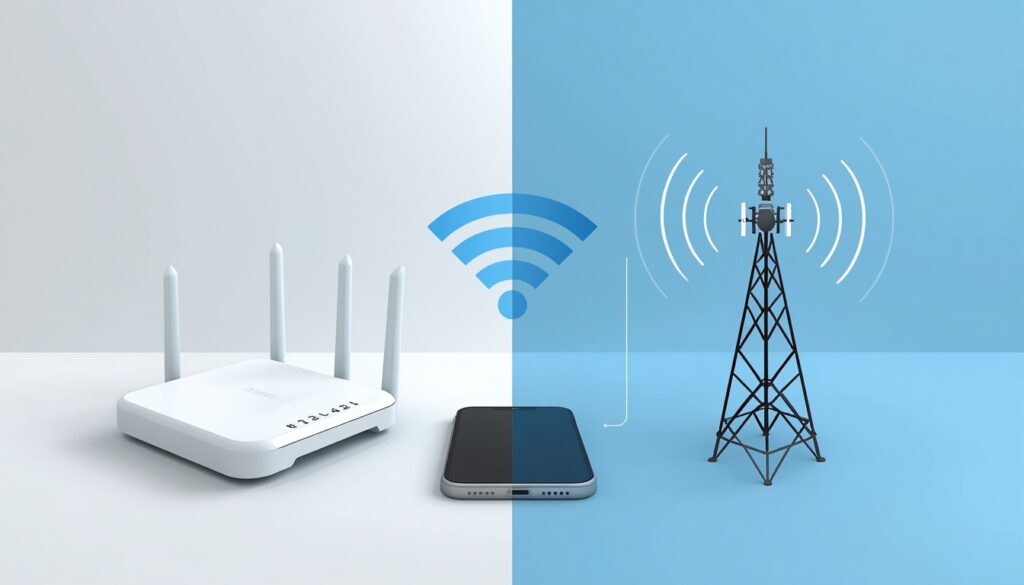
WiFi and cellular data are completely different internet connections.
How WiFi Works
When you connect to WiFi, your phone communicates with a wireless router.
That router is connected to your internet service provider (ISP).
Your internet traffic travels through:
Phone → Router → ISP → Internet
Not through your mobile carrier.
For example:
- Watching Netflix at home uses your home internet.
- Browsing websites at work uses the office network.
- Using hotel WiFi uses the hotel’s internet connection.
Your cellular data allowance remains untouched.
How Cellular Data Works
Cellular data works differently.
Instead of connecting to a router, your phone connects directly to nearby cellular towers.
This includes:
- 4G
- LTE
- 5G
Every website, video, download, and app activity uses data from your mobile plan.
This is why mobile carriers place limits on monthly data usage.
WiFi vs Mobile Data: What’s the Difference?
Does Using WiFi Use Data
| Feature | WiFi | Mobile Data |
|---|---|---|
| Uses Mobile Plan Data | No | Yes |
| Requires Router | Yes | No |
| Monthly Data Limits | Usually Unlimited | Limited |
| Works While Traveling | Sometimes | Yes |
| Cost Per GB | Usually Lower | Usually Higher |
| Best for Streaming | Excellent | Depends on Plan |
| Best for Large Downloads | Excellent | Can Be Expensive |
Does Using WiFi Use Data
If your goal is saving mobile data, WiFi should always be your first choice whenever available.
Does Using WiFi Use Data
Why Is My Phone Using Data When Connected to WiFi?
This is the question most people actually want answered.
If WiFi doesn’t use mobile data, why does your carrier still report usage while you’re connected to WiFi?
After testing both Android and iPhone devices, we found that a handful of settings are responsible for most unexpected data usage.
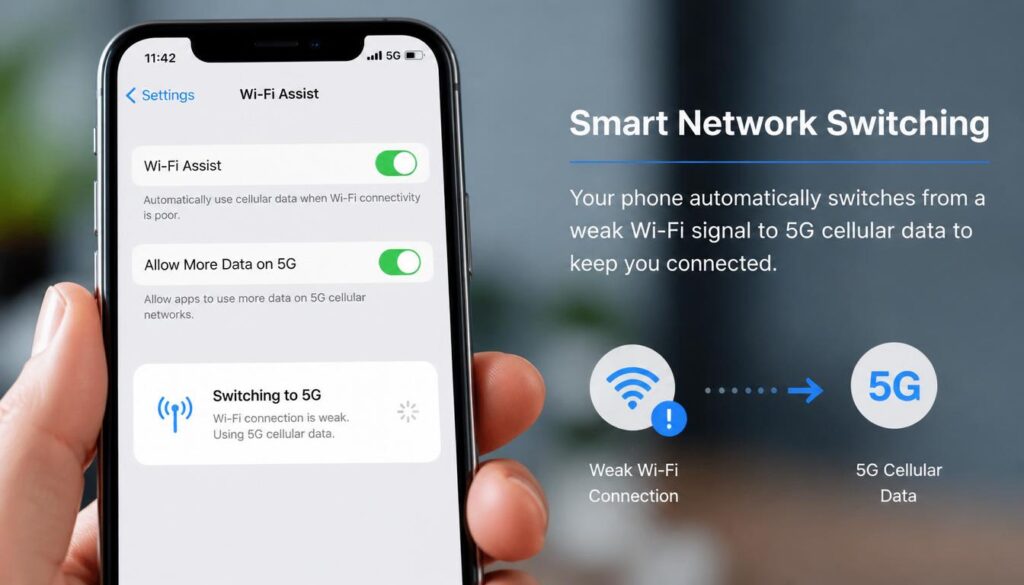
1. Wi-Fi Assist on iPhone
This is one of the biggest hidden causes of mobile data usage.
Apple created Wi-Fi Assist to improve user experience.
The idea sounds helpful.
When WiFi becomes slow or unstable, your iPhone automatically switches to cellular data so apps continue working smoothly.
The problem?
Many users don’t even know the feature exists.
As a result, they assume everything is running through WiFi while the phone is quietly using mobile data behind the scenes.
Signs Wi-Fi Assist May Be Active
- Videos never buffer.
- Websites load instantly despite weak WiFi.
- Data usage increases while you’re at home.
- Your carrier app shows unexpected usage.
How to Turn Off Wi-Fi Assist
- Open Settings.
- Tap Cellular.
- Scroll to the bottom.
- Turn off Wi-Fi Assist.
Does Using WiFi Use Data
Does Using WiFi Use Data
2. Android Smart Network Switching
Android devices have similar features.
Depending on your manufacturer, the setting may be called:
- Adaptive Connectivity
- Intelligent WiFi
- Smart Network Switch
- Auto Switch to Mobile Data
The goal is exactly the same.
If WiFi becomes unreliable, the phone automatically uses mobile data.
This is often why users ask:
Does using WiFi use cellular data?
Technically, WiFi isn’t using cellular data.
The phone simply decided that mobile data offered a better connection.
3. Background App Activity
Most people think their phone stops using the internet when they’re not actively using it.
That’s not how modern smartphones work.
Even when your phone is sitting on a table, apps continue running in the background.
Examples include:
- Email synchronization
- Social media updates
- Cloud backups
- App updates
- Calendar syncing
- Photo uploads
Most of these tasks use WiFi.
But if WiFi becomes weak or temporarily disconnects, some devices switch to cellular data to finish the job.
4. Cloud Backup Services
This is one of the biggest hidden data consumers.
Services like:
- Google Photos
- iCloud Photos
- OneDrive
- Dropbox
can upload thousands of files automatically.
Imagine recording several 4K videos during a family event.
If cloud backup switches to mobile data, those uploads can consume gigabytes in a matter of minutes.
Many users don’t notice until they receive a warning from their carrier.
5. MMS Messages and Carrier Services
Many people are surprised to learn that picture messages don’t always behave like regular internet traffic.
Depending on your carrier, these features may still rely on cellular data:
- MMS picture messages
- Video messages
- Group texts
- Visual voicemail
The amount of data is usually small.
However, it can still appear in your monthly usage report.
Does Using WiFi Use Data?
A Real-Life Example Most People Can Relate To
Let’s say you are lying in bed watching YouTube.
The WiFi router is downstairs.
The signal in your room is weak but not completely disconnected.
You start watching a 20-minute HD video.
The video plays perfectly.
No buffering.
No interruptions.
Everything seems fine.
What you don’t realize is that your phone switched to cellular data halfway through the video because the WiFi signal became unstable.
You assume WiFi handled the entire session.
Your carrier sees it differently.
A few days later, you notice several gigabytes of data have disappeared.
This exact situation happens to thousands of users every day.
Signs Your Phone Is Secretly Using Cellular Data
Most people never realize when their phone switches from WiFi to mobile data.
There usually isn’t a warning message.
Everything keeps working normally.
That’s exactly why unexpected data usage catches so many people by surprise.
Here are some warning signs to watch for.
Your Data Usage Keeps Increasing at Home
If you’re connected to home WiFi most of the day but your carrier app shows steady mobile data usage, something isn’t right.
A strong home WiFi connection should handle almost all of your internet activity.
Videos Continue Playing Despite Weak WiFi
Imagine you’re in the farthest room from your router.
The WiFi signal is weak.
You expect buffering.
Instead, YouTube continues playing smoothly.
There’s a good chance your phone has switched to cellular data.
Large Data Usage Appears Overnight
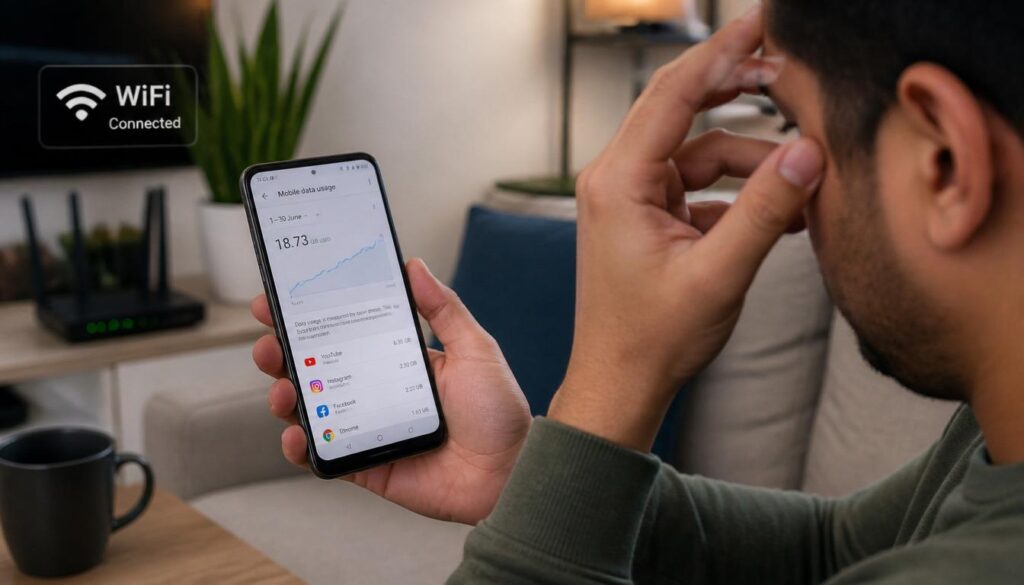
Many users wake up and discover several gigabytes of data disappeared while they were sleeping.
Common causes include:
- Cloud backups
- Photo synchronization
- App updates
- Background downloads
Your Carrier Sends Data Warnings
If you’re receiving “80% of your data used” notifications despite spending most of your time on WiFi, it’s time to investigate your settings.
5 Common Mistakes That Cause Mobile Data Usage on WiFi
After analyzing user complaints and testing smartphones, these are the mistakes that show up most often.
1. Leaving Wi-Fi Assist Enabled
Many iPhone users never check this setting.
The feature works exactly as designed, but it can create confusion because people don’t realize their phone is switching networks.
2. Using Weak WiFi Signals
A weak signal doesn’t always disconnect completely.
Instead, it becomes unreliable.
This is exactly when phones start relying on mobile data.
If certain rooms in your house have poor coverage, consider moving your router or improving your WiFi setup.
3. Allowing Unlimited Cloud Backups
Cloud services are incredibly convenient.
They’re also capable of consuming huge amounts of data.
A single photo library backup can contain:
- Thousands of photos
- Large videos
- Documents
- App data
Always verify that backups are restricted to WiFi only.
4. Ignoring Data Usage Reports
Most people only check data usage after receiving a warning.
By then, the data has already been consumed.
Checking usage once per week can help you spot unusual activity early.
5. Assuming WiFi Automatically Turns Off Mobile Data
This is probably the biggest misconception.
Turning on WiFi does not automatically disable cellular data.
Most phones keep mobile data available in the background unless you manually switch it off.
Struggling with slow internet speeds? Read our article on How to Improve WiFi Signal Strength at Home for practical troubleshooting tips.
What We Found During Testing
To better understand why so many people ask does Does Using WiFi Use Data, we tested multiple Android and iPhone devices under different WiFi conditions.
Here’s what we found.
When WiFi signals remained strong, phones used almost no cellular data.
Everything worked exactly as expected.
However, once the WiFi signal became weak, devices with Wi-Fi Assist or Smart Network Switching enabled started using mobile data automatically.
The most surprising part?
Most users would never notice the switch.
The phones continued loading websites, streaming videos, and updating apps normally.
Without checking data usage reports, there was no obvious indication that mobile data was being used.
This explains why many people believe WiFi itself is consuming mobile data.
In reality, the phone is moving traffic between two different networks.
Do You Use Data While on WiFi? How to Be 100% Safe
If you never want your phone to use cellular data while connected to WiFi, follow these steps.
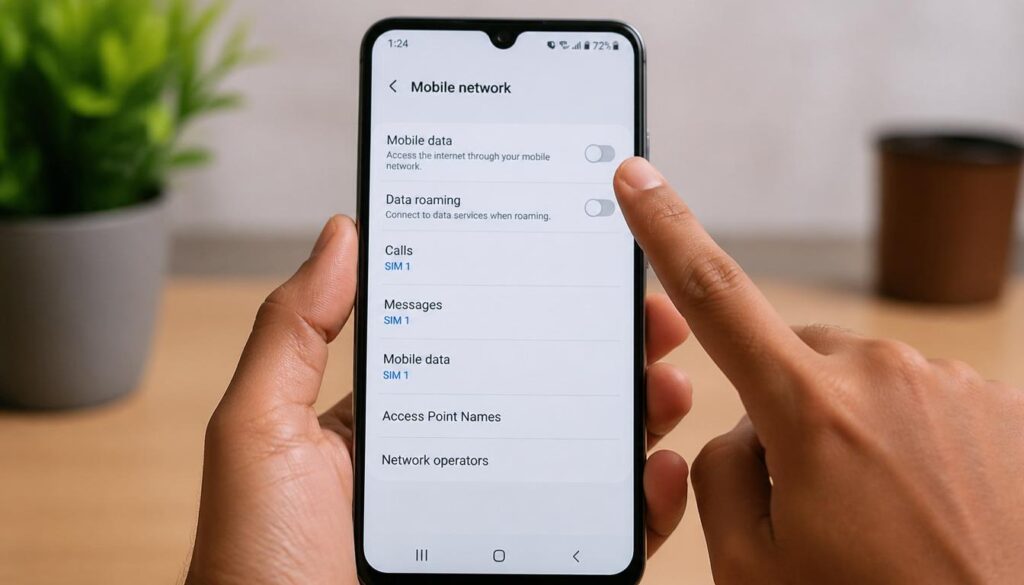
Method 1: Turn Off Mobile Data Completely
This is the simplest and most reliable solution.
On iPhone
- Open Settings.
- Tap Cellular.
- Turn Cellular Data Off.
On Android
- Open Settings.
- Tap Network & Internet.
- Select Mobile Network.
- Turn Mobile Data Off.
Once disabled, your phone can only access the internet through WiFi.
If WiFi disconnects, internet access stops completely.
Does Using WiFi Use Data
Does Using WiFi Use Data
Method 2: Disable Automatic Network Switching
Turn off:
iPhone
- Wi-Fi Assist
Android
- Adaptive Connectivity
- Smart Network Switch
- Intelligent WiFi
- Auto Switch to Mobile Data
This prevents your device from jumping to cellular data whenever WiFi becomes weak.
Method 3: Restrict Backups to WiFi Only
Open the settings for:
- Google Photos
- iCloud
- OneDrive
- Dropbox
Make sure backup and synchronization features are limited to WiFi.
This single change can save gigabytes of data every month.
Method 4: Reduce Background Activity
Many apps constantly refresh information.
Examples include:
- TikTok
- News apps
- Email apps
Reducing background activity helps save:
- Mobile data
- Battery life
- System resources
Does Using WiFi Cost Money on a Phone?
Another common question is:
Does using WiFi cost money on a phone?
In most situations, no.
WiFi itself does not create charges on your mobile phone bill.
However, the internet connection providing that WiFi may have costs associated with it.
Examples include:
- Monthly home internet service
- Hotel WiFi fees
- Paid public hotspots
For most people, WiFi is actually one of the best ways to reduce mobile data expenses.
Want to reduce monthly internet costs? Our guide on WiFi vs Mobile Data: Which Is Better and Cheaper? explains the differences in detail.
Expert Tip
If you have a limited mobile data plan, here’s the easiest solution.
Whenever you’re connected to a trusted WiFi network at home, simply turn mobile data off.
That’s it.
Many users spend hours digging through complicated settings when a single tap solves the problem completely.
Your phone can’t switch to cellular data if cellular data isn’t available.
Does Using WiFi Use Data
Does Using WiFi Use Data
Frequently Asked Questions
Does Using WiFi Use Data
Does WiFi Use Phone Data?
No. A proper WiFi connection uses internet from a router and internet service provider rather than your mobile carrier’s data plan.
Does Using WiFi Use Cellular Data?
Not normally. However, your phone may temporarily switch to cellular data if WiFi becomes weak and features like Wi-Fi Assist or Smart Network Switching are enabled.
Do You Use Data While on WiFi?
Most internet activity uses WiFi while connected. The exception is when your phone automatically switches to cellular data or uses carrier-specific services.
Does Using WiFi Cost Money on a Phone?
No. WiFi itself does not create charges on your mobile phone bill. Any costs come from the internet service providing the WiFi connection.
Why Is My Phone Using Data When Connected to WiFi?
The most common causes are weak WiFi signals, automatic network switching features, cloud backups, app updates, and background synchronization.
How Can I Stop My Phone From Using Cellular Data While on WiFi?
Turn off mobile data, disable Wi-Fi Assist or Smart Network Switching, restrict backups to WiFi only, and monitor your data usage regularly.
Final Verdict
Let’s answer the question one final time.
Does using WiFi use data?
No.
A WiFi connection uses internet from a router and internet service provider rather than your mobile carrier’s data plan.
If you’re seeing data usage while connected to WiFi, the cause is usually one of the following:
- Wi-Fi Assist on iPhone
- Smart Network Switching on Android
- Cloud backups
- Background app activity
- MMS messages
- Carrier services
The good news is that all of these issues can be controlled through your phone’s settings.
A few simple adjustments can prevent unexpected charges and give you complete control over how your phone uses data.
Once you understand how modern smartphones manage internet connections, the mystery disappears.
If you need any more help you can visit our website and find many solutions of yours problems about windows11 ,Wifi connections problems and internet problems.


