
How Do WiFi Boosters Work? Find Out Before You Waste Money
Still losing WiFi in your bedroom, upstairs office, or backyard? Before spending money on a WiFi booster, you need to know exactly how it works—and whether it can actually fix your weak signal problem.
Introduction
A weak WiFi signal can be incredibly frustrating. One room in your home might have fast internet, while another struggles to load a simple webpage. If you’ve ever experienced buffering videos, dropped video calls, or slow downloads in certain areas of your house, you’re dealing with what’s commonly known as a WiFi dead zone.
The good news is that you don’t always need a new router to solve the problem. In many cases, a WiFi booster can help extend your wireless network into hard-to-reach areas.
If you’re wondering how do WiFi boosters work, the simple answer is that they receive your router’s wireless signal and rebroadcast it farther into areas where the signal is weak. This helps improve internet coverage and reduces dead zones throughout your home.
How Do WiFi Boosters Work
In this guide, you’ll learn exactly how WiFi boosters work, whether they increase internet speed, where to place them, and how they compare to modern mesh WiFi systems.
Quick Answer: How Do WiFi Boosters Work?
A WiFi booster works like a relay runner in a race. Instead of your router sending the signal directly to a distant device, the booster receives the signal first and then passes it along. This extends the router’s range and helps eliminate dead zones in your home.
Featured Snippet Answer:
A WiFi booster receives the wireless signal from your router, strengthens or repeats it, and then rebroadcasts it to areas with weak coverage. It improves WiFi range and signal strength but does not increase the speed of your internet plan.
What Is a WiFi Booster?
A WiFi booster is a networking device designed to improve the reach of your existing wireless network.
Rather than creating a new internet connection, it works with the connection you already have. The device listens for the signal coming from your router and then sends that signal farther into your home.
Many people use the terms WiFi booster, WiFi extender, and WiFi repeater interchangeably. While there are minor technical differences, all of them are designed to improve WiFi coverage.
The Main Purpose of a WiFi Booster
The primary goal of a WiFi booster is to:
- Extend WiFi coverage into weak areas
- Improve signal strength
- Reduce dead zones
- Expand router range
- Improve internet coverage throughout the house
- Help devices maintain a stable connection
Why Homes Develop WiFi Dead Zones
Even powerful routers have limitations.
Common causes of WiFi dead zones include:
- Thick concrete or brick walls
- Multiple floors
- Long distances from the router
- Large metal objects
- Signal interference from electronics
- Network congestion from many connected devices
The farther your device is from the router, the weaker the wireless signal becomes.
How Do WiFi Boosters Work Step by Step?
Understanding how do WiFi boosters work becomes much easier when you break the process into simple steps.
How Do WiFi Boosters Work With Your Existing Router?
A WiFi booster first establishes a connection with your router.
Once connected, it continuously listens for the router’s wireless signal and acts as a bridge between the router and your devices.
You don’t need to replace your current router because the booster works alongside it.
How Do WiFi Boosters Work
How Do WiFi Boosters Work
Receiving and Rebroadcasting the Wireless Signal
Here’s what happens behind the scenes:
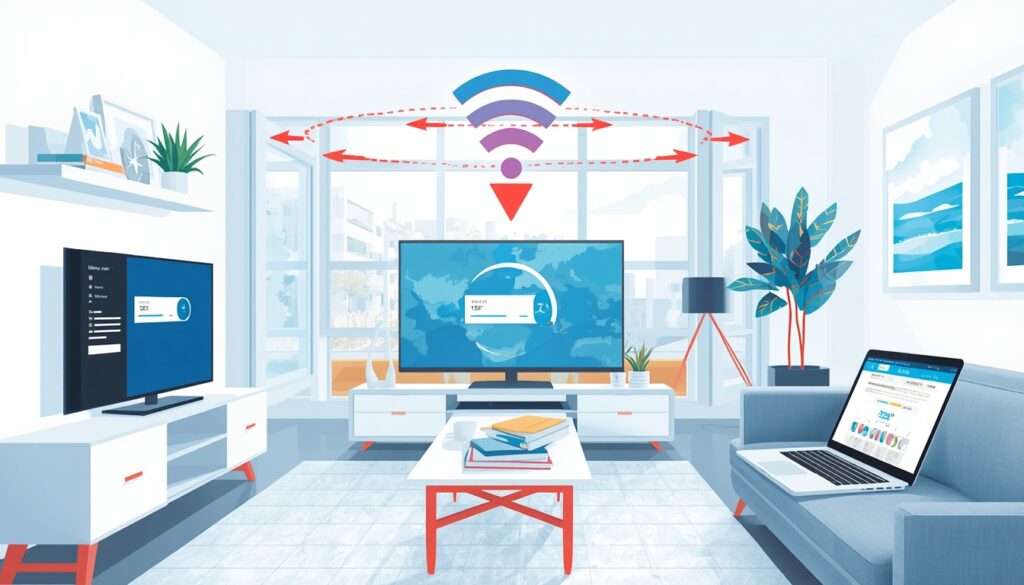
- Your router sends out a wireless signal.
- The WiFi booster receives that signal.
- The booster processes and strengthens the signal.
- The booster rebroadcasts the signal farther into your home.
- Your devices connect to the stronger signal.
Think of someone repeating an announcement in a large room so everyone can hear it clearly.
That’s essentially how WiFi boosters extend coverage.
Do WiFi Boosters Increase Internet Speed?
This is one of the biggest misconceptions about WiFi boosters.
The reality is that WiFi boosters do not increase the speed provided by your internet plan.
If your internet package offers 100 Mbps, a booster cannot magically turn it into 500 Mbps.
However, it can make your connection feel faster in weak-signal areas because devices receive a stronger and more reliable connection.
The Truth About Throughput and Mbps Loss
This is where many websites fail to explain what actually happens.
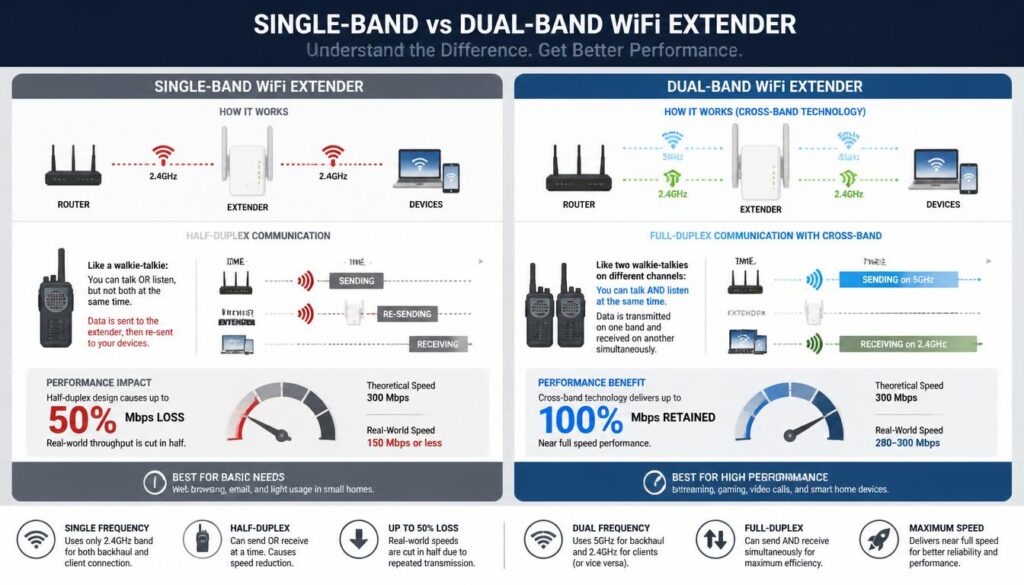
Most affordable single-band extenders operate in half-duplex mode.
In simple words, they can either receive data or transmit data at a given moment—but not both simultaneously.
Think of a walkie-talkie.
When one person talks, the other person must listen.
A walkie-talkie cannot talk and listen at the same millisecond.
A single-band WiFi extender works in a very similar way.
It first receives information from the router and then sends that information to your device.
Because this process happens in two separate steps, available throughput speed often decreases.
This is why many users experience up to a 50% Mbps loss when using older or cheaper extenders.
How Do WiFi Boosters Work
How Do WiFi Boosters Work
For example:
- Router Speed: 200 Mbps
- Single-Band Extender Speed: Around 100 Mbps
The exact reduction varies, but the half-duplex nature of the technology is the main reason.
Why Dual-Band Extenders Manage Speed Better
Modern dual-band extenders solve much of this problem using Cross-Band Technology.
Instead of using a single frequency for all communication, they divide tasks between two frequencies.
For example:
- The 5GHz frequency communicates with the router.
- The 2.4GHz frequency communicates with devices.
Because both frequencies work independently, the extender doesn’t constantly switch between receiving and transmitting.
This significantly reduces throughput loss and improves overall bandwidth performance.
If speed matters, a quality dual-band extender is usually the better choice.
Where Should You Place a WiFi Booster?
Placement can make or break your results.
Even the best WiFi booster won’t work properly if it’s placed in the wrong location.
Best Placement Tips
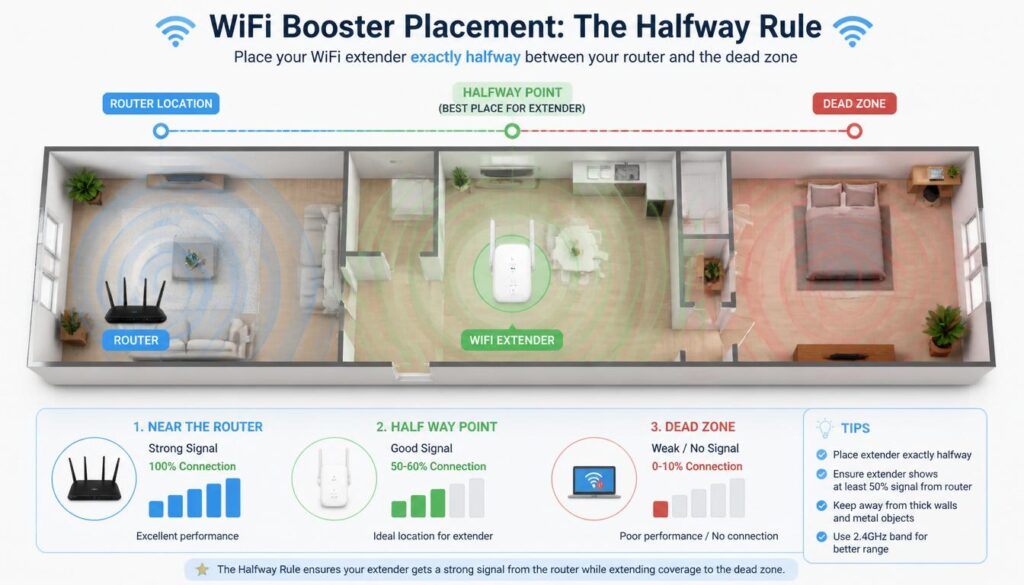
Follow the 50% Placement Rule.
Place the booster approximately halfway between:
- Your router
- The dead zone
Visual Example:
Router ——– WiFi Booster ——– Dead Zone
Many people make the mistake of placing the booster directly in the dead zone.
How Do WiFi Boosters Work
How Do WiFi Boosters Work
This doesn’t work.
A booster cannot create a signal from nothing. If it receives a weak signal, it can only rebroadcast a weak signal.
For best performance, place it where it still receives 2–3 solid signal bars from the router.
What Signal Strength Does a Booster Need?
A good WiFi signal is usually measured in dBm.
| Signal Strength | Quality |
|---|---|
| -30 to -50 dBm | Excellent |
| -50 to -67 dBm | Good |
| -67 to -70 dBm | Fair |
| Below -70 dBm | Weak |
If your booster receives a signal weaker than -70 dBm, performance may suffer.
Common Placement Mistakes to Avoid
Avoid placing your booster:
- Inside a dead zone
- Behind large furniture
- Near microwaves
- Behind metal cabinets
- Near thick concrete walls
- Inside closed cupboards
2.4GHz vs 5GHz — Which Band Works Better?
Most modern WiFi boosters support both frequency bands.
| Feature | 2.4GHz Frequency | 5GHz Frequency |
|---|---|---|
| Range | Longer | Shorter |
| Speed | Lower | Faster |
| Wall Penetration | Better | Weaker |
| Congestion | More Crowded | Less Crowded |
| Best For | Coverage | Speed |
For larger homes, 2.4GHz often provides better coverage.
For gaming, streaming, and high-speed downloads, 5GHz usually performs better.
WiFi Booster vs Mesh WiFi System
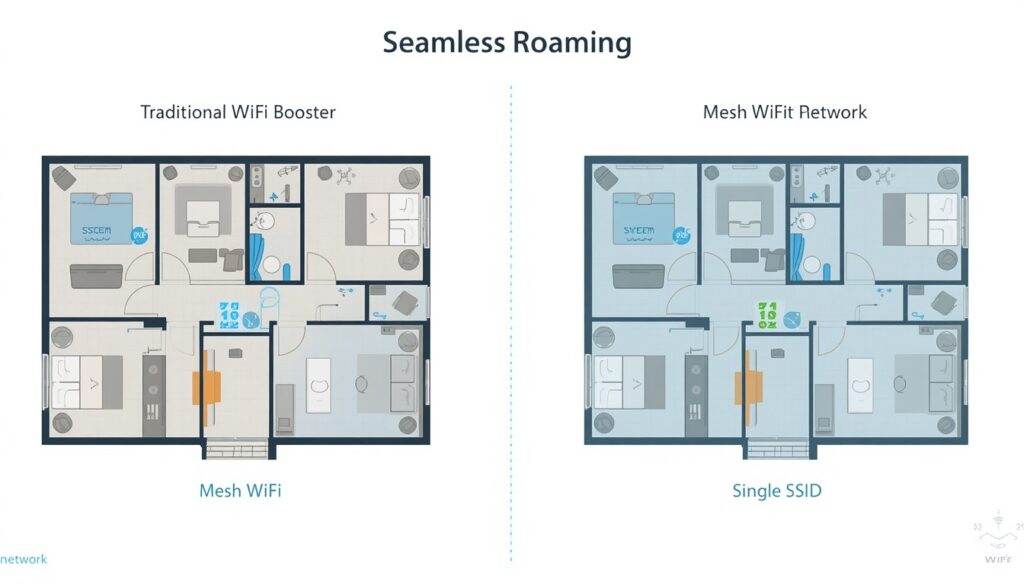
Many people compare WiFi boosters with mesh WiFi systems when trying to improve home internet coverage.
How Do WiFi Boosters Work
How Do WiFi Boosters Work
Which Technology Provides Better Coverage?
WiFi Boosters:
- Lower cost
- Easy installation
- Good for one or two dead zones
Mesh WiFi Systems:
- Better for large homes
- More consistent coverage
- Multiple access points
- Better overall performance
The SSID Headache vs Seamless Roaming
Traditional WiFi boosters often create a second network name such as:
- HomeWiFi
- HomeWiFi_EXT
As you move through your home, your device may stay connected to the weaker network until you manually switch.
This can interrupt streaming, gaming, and video calls.
Mesh systems eliminate this problem using seamless roaming.
All mesh nodes share the same SSID.
If you wants to find SSID you can read these steps.
Your phone automatically switches to the strongest access point without requiring manual intervention.
The transition happens smoothly with minimal dropped packets.
Pros and Cons of WiFi Boosters
Pros
- Affordable solution
- Easy setup
- Extends router range
- Eliminates dead zones
- Improves signal strength
- Works with most routers
- Many models include an ethernet port
Cons
- Single-band models can reduce throughput speed
- Performance depends heavily on placement
- Some create separate network names
- Not ideal for very large homes
Frequently Asked Questions
How Do WiFi Boosters Work….?
How Do WiFi Boosters Work Without Ethernet?
Most WiFi boosters connect wirelessly to the router. They receive the wireless signal through the air and rebroadcast it without requiring physical cables.
Can a WiFi Booster Improve Streaming?
Most WiFi boosters connect wirelessly to the router. They receive the wireless signal through the air and rebroadcast it without requiring physical cables.
Can a WiFi Booster Reduce Lag?
It can reduce lag caused by poor WiFi coverage. However, it cannot fix lag caused by slow internet plans, overloaded servers, or ISP-related issues.
Do WiFi Boosters Work Through Walls?
Yes, but thick walls weaken wireless signals. Concrete, brick, and metal structures can significantly reduce performance.
Can a WiFi Booster Work With Any Router?
Most modern WiFi boosters are compatible with almost all standard wireless routers.
Can a WiFi Booster Work With Any Router?
Most modern WiFi boosters are compatible with almost all standard wireless routers.
Final Verdict — Are WiFi Boosters Worth It?
So, how do WiFi boosters work, and are they worth buying?
For most homes, a WiFi booster is an affordable and effective way to extend a wireless signal into areas where coverage is weak. While it won’t increase your internet plan speed, it can dramatically improve signal strength and internet coverage in dead zones.
The biggest factor in success is proper placement. Following the 50% Placement Rule and choosing a quality dual-band extender can make a noticeable difference in performance.
If your goal is to improve coverage in a few rooms, a WiFi booster is often a smart investment. If you need seamless whole-home coverage with no SSID switching headaches, a mesh WiFi system may be the better long-term solution.
Now that you understand exactly how do WiFi boosters work, you can choose the right solution and enjoy stronger, more reliable WiFi throughout your home.
If you need any more help you can visit our website and solve many problems about WiFi , internet , windows , laptop or PC speed.


