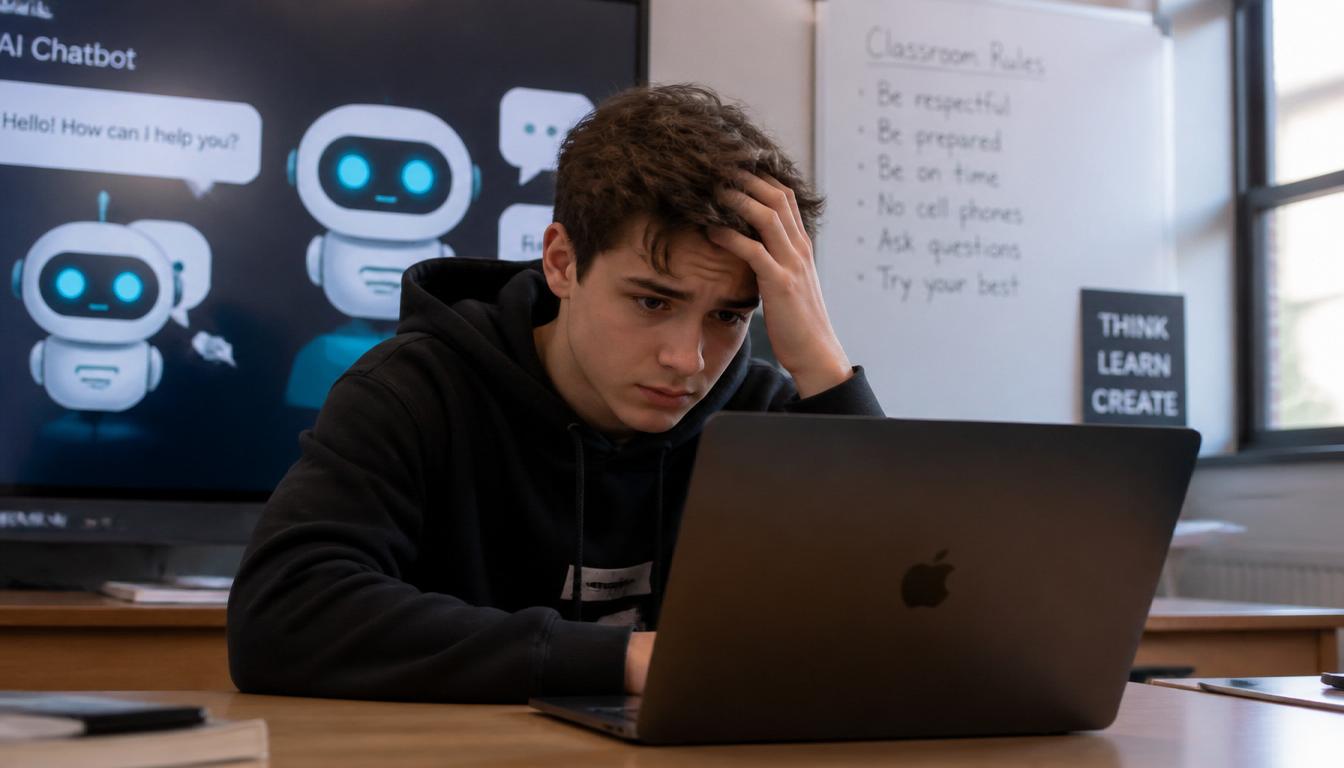
Every day, two very different people search this exact question. Students want to know: Will my teacher catch me if I used ChatGPT? Teachers want to know. How do I detect AI in my students work?
This guide answers both completely and honestly. The short answer: No, Google Classroom does not have a built-in AI detector. But that does not mean AI goes undetected. Teachers in 2026 have access to powerful third-party tools and some behavioral signals that no software can fake. Here is everything you need to know, whether you are sitting in a classroom or grading papers from one.
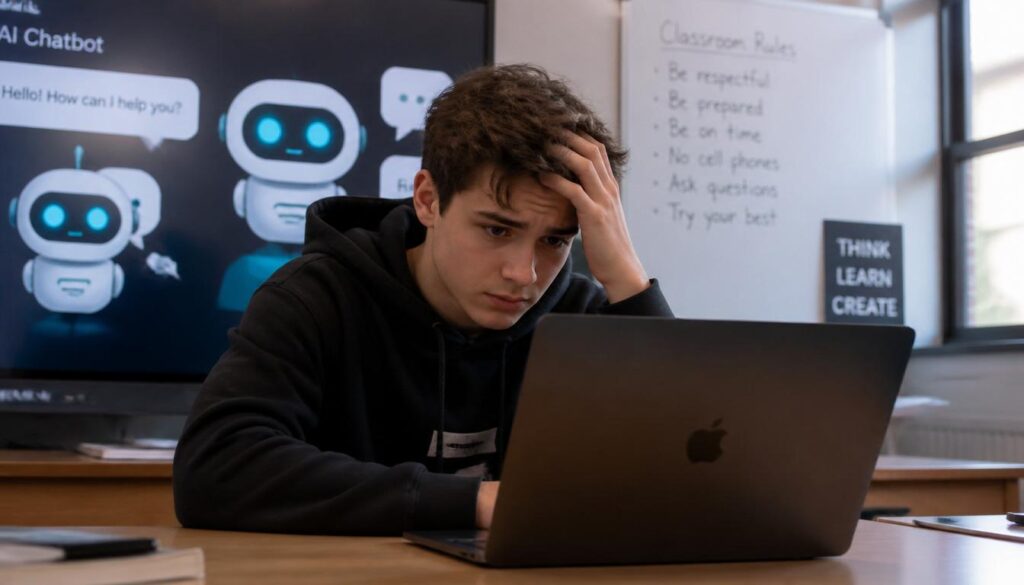
Students who use AI tools often worry about more than just detection. If your device is running slow while doing
research or submitting assignments, check our guide on fixing Windows 11 slow performance to keep your laptop running smoothly during exams.
Does Google Classroom Have an AI Detector? (The Direct Answer)
No, Google Classroom does not have a built-in AI detector. The platform itself cannot automatically scan or flag whether your work was written by ChatGPT, Claude, or any other advanced language model.
However, that does not mean teachers cannot identify AI-generated content. While looking into whether does google classroom have an ai detector, you must understand that the platform works as a learning management system, meaning it can easily integrate with third-party software. Many schools connect it with advanced plagiarism checkers and external services like Turnitin to evaluate submitted work.
So if you are strictly asking, does google classroom have an ai detector? The direct answer remains no, but teachers frequently use other tools alongside it to monitor writing integrity.
How Google Classroom’s Originality Reports Actually Work
Many students confuse Google Classroom’s Originality Reports with an actual AI detector. It is crucial to realize that they are not the same thing. Originality Reports were designed primarily to check whether content matches information already published on the internet, acting as a standard plagiarism checker rather than a tool built to answer the query: does google classroom have an ai detector?
Does Google Classroom Have an AI Detector
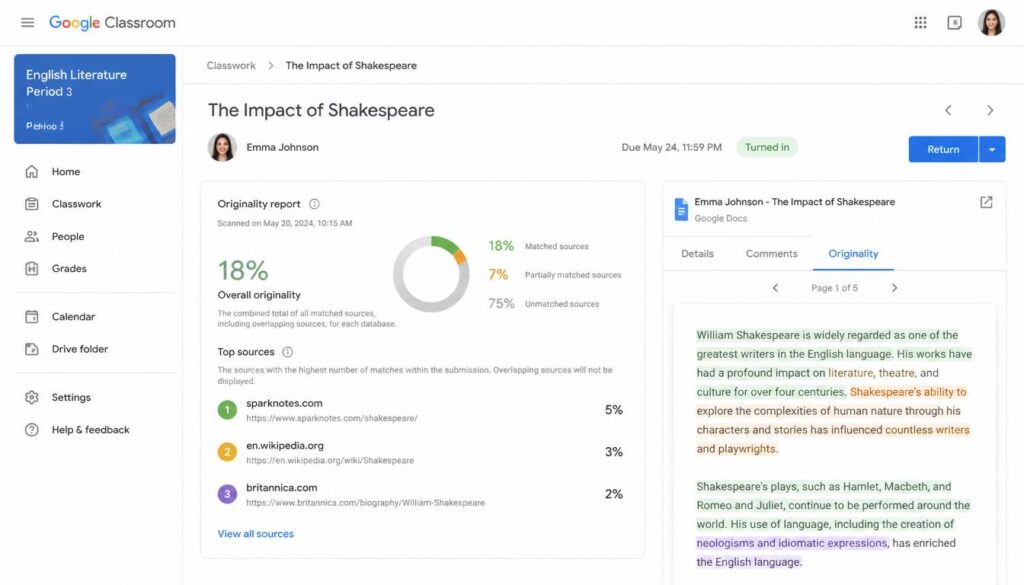
The system compares submitted text against billions of online sources and highlights exact similarities.
What Originality Reports Can Do:
- Compare student text with publicly available web pages.
- Highlight copied or closely matched content from the internet.
- Help students identify accidental plagiarism before final submission.
- Support academic integrity in digital classrooms.
What Originality Reports Cannot Reliably Do:
- Confirm if a specific text region was written by generative AI.
- Detect every AI-generated content example accurately.
- Determine the actual human author behind a unique sentence.
Because modern language models create unique text every single time, standard plagiarism tools cannot flag them. This distinction is important because many students falsely assume that turning on Originality Reports means an automated system is tracking their AI usage.
Can It Detect ChatGPT or Gemini Content?
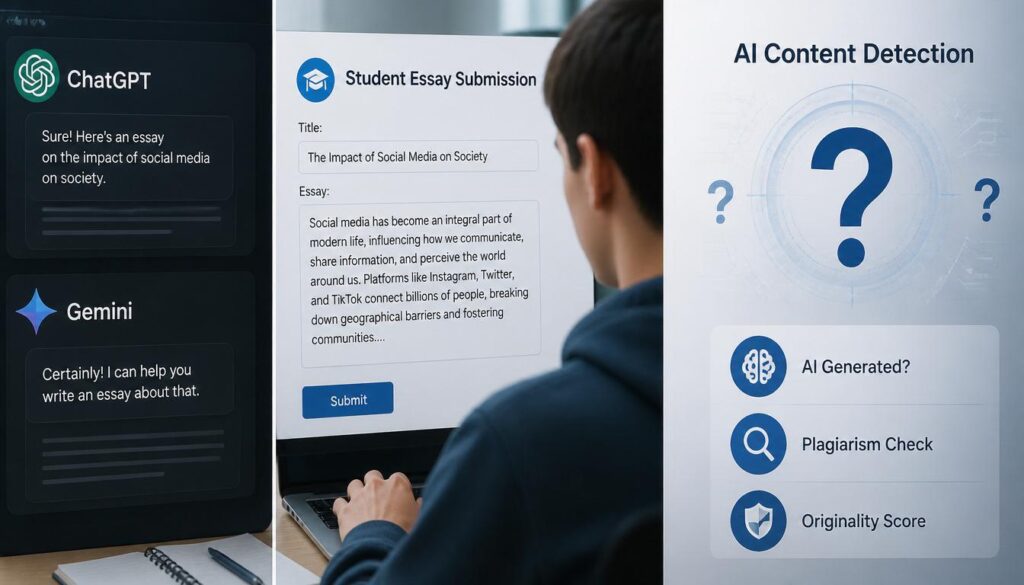
This is where most of the confusion comes from. The short answer is: not reliably on its own. Since we established that does google classroom have an ai detector is a “No”, the system cannot specifically pinpoint content created by OpenAI or Google’s own Gemini.
However, tech-savvy educators and platforms like SmartTechFixer.com always remind users that modern teachers look for digital footprints. Even though the system doesn’t have an automated checker, some schools utilize Turnitin integrations which have introduced specialized AI-writing indicators.
Does Google Classroom Have an AI Detector
Even then, AI detection is notoriously flawed. False positives happen regularly, where human-written work is incorrectly flagged as robotic. This is why many educators do not rely solely on software when grading assignments.
3 Things Teachers Look for (Beyond AI Detectors)
Instead of constantly worrying about whether does google classroom have an ai detector, you should focus on the behavioral signals that experienced teachers actually look at when reading your submissions.
1. Sudden Changes in Writing Style
Teachers read your work throughout the school year and become familiar with your voice. If a student’s previous assignments contained basic vocabulary, but a new submission suddenly sounds like a professional journal article, it raises an immediate red flag.
2. Lack of Personal Understanding
AI tools produce impressive text but often fail to demonstrate genuine, personalized understanding. If a teacher suspects something, they might ask follow-up questions during class, such as: “Can you explain this specific conclusion you wrote here?” Students who didn’t write their own content usually struggle to answer confidently.
3. Missing Local or Personal Context
AI-generated content often sounds generic and clinical. It lacks specific classroom references, personal anecdotes, or the unique opinions discussed during school lectures. Adding your own unique voice is what makes an assignment authentic.
💡 Pro-Tip from SmartTechFixer: If you use AI for brainstorming or outlining your thoughts, always rewrite the final text entirely in your own voice, add personal examples, and double-check every single fact before hitting submit.
How Teachers Actually Detect AI in Google Classroom (2026)
Google Classroom does not flag AI on its own, but teachers are not helpless. Here are the three most commonly used methods in schools right now
Method 1: GPTZero Integration
GPTZero connects directly with Google Classroom as an add-on. Once installed, teachers see an AI probability score alongside every submitted assignment without copy-pasting text anywhere. The tool claims 99%+ accuracy on AI detection and is specifically trained to reduce false positives for ESL learners.
How to add it:
- Go to GPTZero.me and create an educator account
- Click on Integrations → Google Classroom
- Authorize access to your Google Workspace
- AI scores will now appear on every new submission automatically
Method 2: Turnitin + Google Classroom
Turnitin released a direct Google Workspace integration that brings both plagiarism checking and AI writing detection into one dashboard. Schools using Google Workspace for Education can activate Turnitin Clarity directly inside Classroom without switching platforms. Important: Turnitin is AI detection looks for writing patterns and predictability scores not a match against a database. This means it can flag AI even when the text is 100% unique.
Method 3: Pangram Chrome Extension
For teachers who prefer grading inside Google Docs itself, the Pangram Chrome Extension works directly inside the document. It scans text in real-time and shows an AI likelihood percentage in the sidebar without the student knowing a check was run.
Why AI Detection Remains a Huge Challenge
If someone tells you they have a flawless system, they are wrong. The technical reason behind why does google classroom have an ai detector is currently a “No” comes down to how generative text works. Unlike traditional plagiarism, where text is copied from a known website, AI writing generates entirely new character sequences.
The Core Challenges Include:
- There is no original database source to compare the text against.
- Different parameters and prompts produce entirely different writing styles.
- High-quality human writing naturally mimics the structured patterns of AI.
As a result, even the most advanced systems cannot guarantee 100% accurate identification without harming innocent students through false flags.
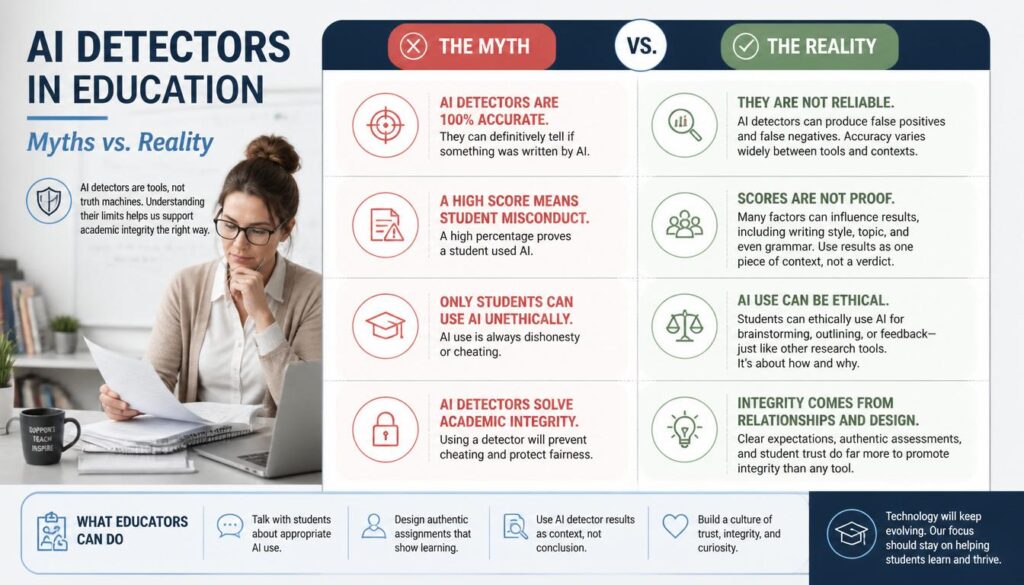
Common Myths vs. Reality
Let’s clear up the most common misunderstandings floating around online forums regarding student submissions:
- Myth: Google Classroom automatically rejects AI essays.
- Reality: The platform does not have an automated block or built-in scanner for AI.
- Myth: Every external AI detector is 100% accurate.
- Reality: Most detectors rely on probabilities and frequently make mistakes.
- Myth: Originality Reports are designed to catch ChatGPT.
- Reality: They are strictly designed to catch traditional copy-paste plagiarism.
Does Google Classroom Have an AI Detector
How Accurate Are These AI Detectors? (The Honest Answer)
This is the part most articles skip and it matters a lot. No AI detector in 2026 is 100% accurate. Here is what the
research actually shows:
- GPTZero reports a false positive rate of under 2% on
its trained models - Turnitin’s AI writing indicator has been independently
tested at 85-98% accuracy depending on writing style - Pangram claims SOC 2 Type 2 certification and does not
use student data for model training
The real danger: Human writers who use formal or structured language sometimes get falsely flagged as AI. Students who are ESL learners or who write very cleanly are at higher risk of false accusations. This is why most responsible schools use AI detection scores as one signal among many not as definitive proof.
What Do Different Schools Actually Do About AI?
Policies vary dramatically. Here is a general breakdown of how most institutions handle AI-detected submissions
in 2026:
| School Type | Tool Used | Action on Flag |
|---|---|---|
| K-12 Public Schools | Originality Reports (basic) | Teacher review only |
| Private Schools | GPTZero or Pangram | Meeting with student |
| Universities | Turnitin Clarity | Academic integrity case |
| Online Schools | Varied | Policy-dependent |
Bottom line: Always check your specific school’s AI policy before submitting any assignment. What is acceptable at one institution may be a violation at another.
Hidden Gem: What Most Educational Articles Don’t Tell You
Most tech blogs discussing whether does google classroom have an ai detector focus strictly on the software side. The bigger issue is actually how you utilize the technology. Many modern schools care less about whether an AI tool was opened and more about how it was used.
Using an AI assistant to fix your grammar, overcome writer’s block, or organize a messy outline is generally seen as a smart educational aid. On the flip side, generating a whole essay and passing it off as your own violates academic policies. Because rules vary drastically between institutions, you should always check your specific instructor’s guidelines.
Conclusion & Final Verdict
To summarize the entire debate: does google classroom have an ai detector? No, Google Classroom does not include a built-in AI detector. Its internal Originality Reports are strictly focused on traditional plagiarism checking.

While your teachers might use external plugins or software like Turnitin to spot AI-generated content, these systems are far from perfect. The safest and most successful approach to ranking high in school (and keeping your academic record clean) is simple: use AI as a supportive learning assistant, not a total replacement for your mind. Add your own insights, verify the data, and submit your assignments with absolute confidence.
If your school uses a shared WiFi network and you are concerned about privacy during online submissions,
read our guide on whether your search history shows on a WiFi bill.
FAQ
Can Google Classroom detect ChatGPT in 2026?
Not on its own. Google Classroom itself has no AI detection capability built into the platform. However, if your school has connected a third-party tool like GPTZero or Turnitin to Google Classroom, those tools can detect text patterns commonly associated with ChatGPT, Claude, and Gemini outputs
What is the best AI detector that works with Google Classroom?
The three most trusted options for Google Classroomintegration in 2026 are GPTZero (most widely used in K-12), Turnitin Clarity (most used in universities), and Pangram (best for real-time grading inside Google Docs). Each offers a different integration method and accuracy level.
Does Originality Reports catch AI writing?
No. Google is Originality Reports is a traditional plagiarism checker it compares your text against published web pages and known databases. It cannot detect AI-generated content because AI creates entirely new text that does not match any existing source. A student could submit a fully ChatGPT-written essay and Originality Reports would show
zero matches.
A lagging PC or sudden system errors can ruin your academic deadlines. To keep your laptop running smoothly without any sudden crashes during research, make sure to read our highly-recommended guides on Windows 11 Debloater and and for make fast your PC and Laptop to check your WiFi connection.