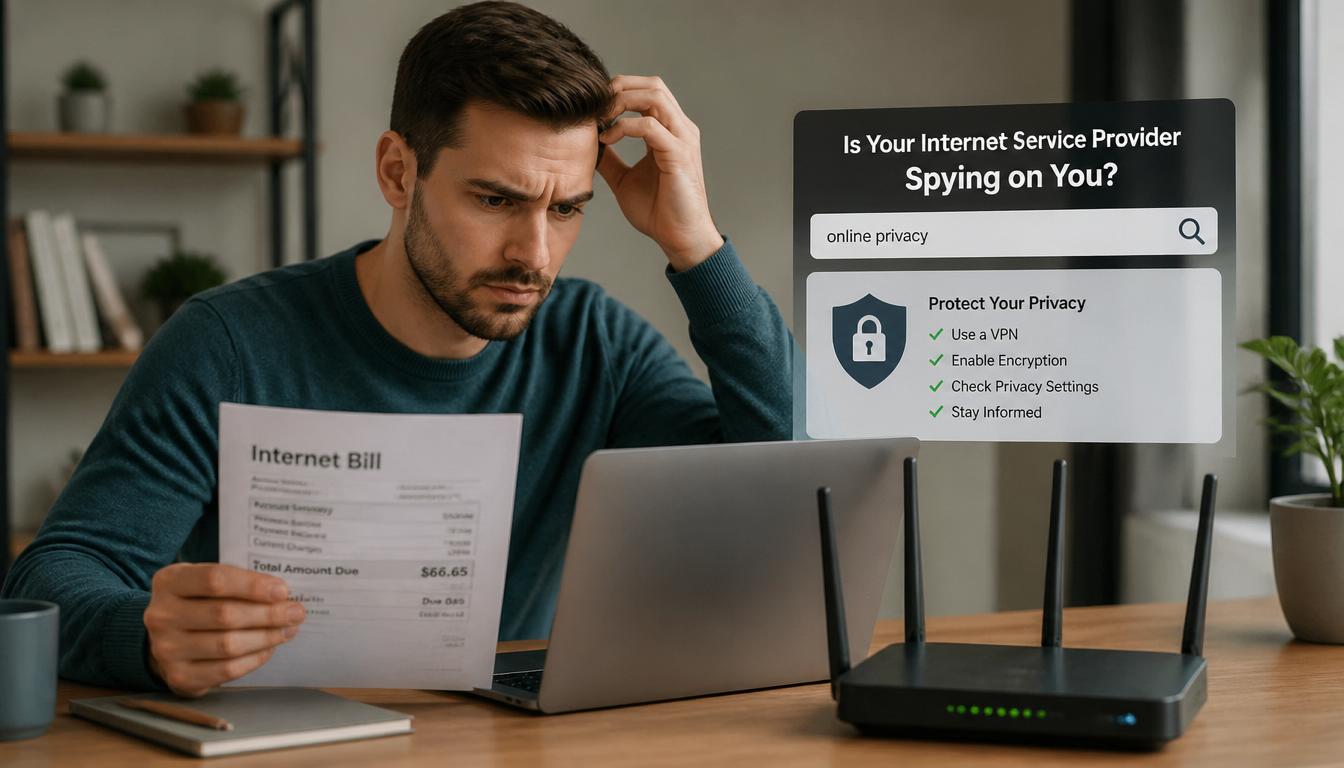
Worried that whoever pays your WiFi bill can see search history on a wifi bill? You’re not alone but here is the truth your internet bill does not reveal your Google searches or browsing history. There are other places your online activity could be visible, though, and here’s exactly what really gets tracked.
Can Anyone Actually See Search History on a WiFi Bill??
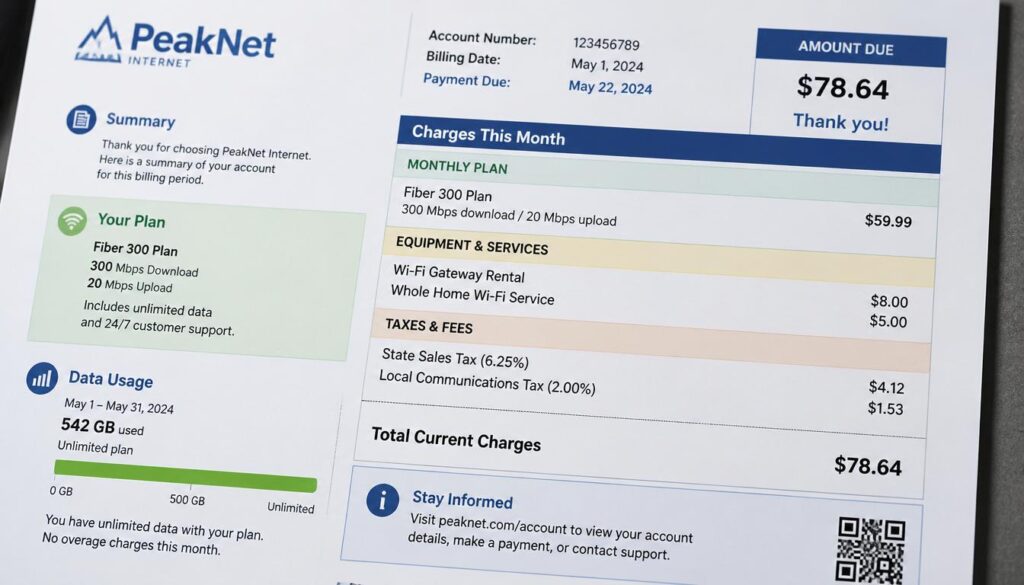
An internet bill is simply a billing document. Its purpose is to show what you owe your provider each month, not to track your browsing activity.
A typical WiFi or internet bill may include:
- Your internet plan and monthly price
- Router or modem rental fees
- Total data usage (if your plan has data limits)
- Taxes and government charges
- Discounts or promotional credits
- Payment due date and account balance
Can You See Search History on a WiFi Bill?
Even when data usage is shown, it only displays the total amount used, such as 500 GB or 1 TB. It does not show how that data was used.
What Do Major Internet Providers Show on Their Bills?
Whether you use Xfinity, Spectrum, AT&T, Verizon, or another provider, the information shown on the bill is generally the same.
You may see:
- Monthly service charges
- Equipment fees
- Taxes and surcharges
- Data usage totals (if applicable)
You will not see:
- Search history
- Visited websites
- YouTube videos watched
- Google searches
- Social media activity
Internet providers separate billing information from network activity records. As a result, browsing details never appear on customer bills.
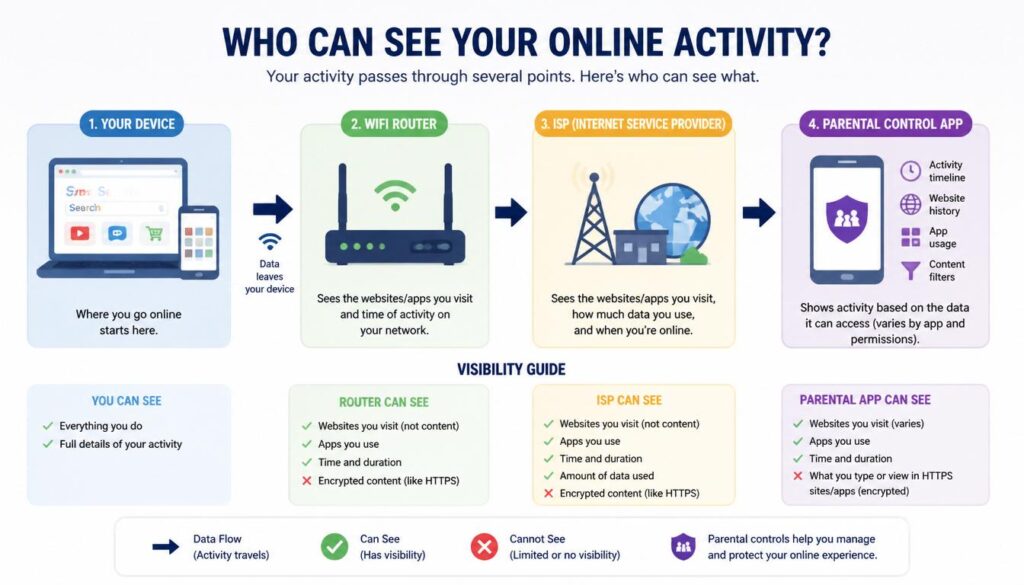
Who Can Actually See Your Search History?
1. Your Web Browser
Browsers such as Chrome, Safari, Firefox, and Edge store browsing history on the device itself.
Anyone who has access to your device and user account may be able to view that history.
Private or Incognito mode prevents the browser from saving local history, but it does not hide your activity from the network you are using.
Can You See Search History on a WiFi Bill?
2. Your WiFi Router
Many routers keep records of connected devices and network usage.
What the router can see depends on its features:
- Basic routers usually show connected devices and data usage.
- Some advanced routers can record website domains visited by each device.
- Routers with parental control features may keep more detailed activity logs.
Anyone with administrator access to the router can view whatever information the router stores.
If you’re not sure how to access your router’s settings in the first place, our step-by-step guide to finding your WiFi details covers the basics.
3. Your Internet Service Provider (ISP)
Your ISP can generally see which domains your device connects to.
For example, it may know that you visited:
- youtube.com
- google.com
- facebook.com
However, because most websites use HTTPS encryption, the ISP usually cannot see the specific pages you view or the exact searches you make on those websites.
Most importantly, this information does not appear on your monthly bill.
4. Monitoring and Parental Control Software
Some monitoring tools and parental control apps can track:
- Visited websites
- App activity
- Screen time
- Search activity
However, these tools must be intentionally installed and configured. They do not appear automatically just because someone pays for the internet connection.
What Can Each Source Actually See?
| Source | Search Terms | Website Domains | Appears on Bill |
|---|---|---|---|
| Internet Bill | No | No | Yes |
| Browser History | Yes | Yes | No |
| Router Logs | Rarely | Sometimes | No |
| ISP Records | Usually No | Often | No |
| Parental Control Apps | Sometimes | Yes | No |
Can You See Search History on a WiFi Bill?
If you’re confused about why your WiFi bill shows data usage at all, check out our breakdown of how WiFi data usage actually works
Can the Person Paying the Bill Request Your Search History?
In most situations, no.
Internet providers do not give account holders access to detailed browsing records through customer portals or monthly statements.
However, there are a few things to keep in mind:
- The account owner often controls the router and can access any logs the router stores.
- If parental control software is installed, activity may be visible through that software.
- Law enforcement may request records through legal procedures, depending on local laws and regulations.
This article is for informational purposes only and should not be considered legal advice.
ISPs are required to follow strict data privacy regulations when handling customer information.
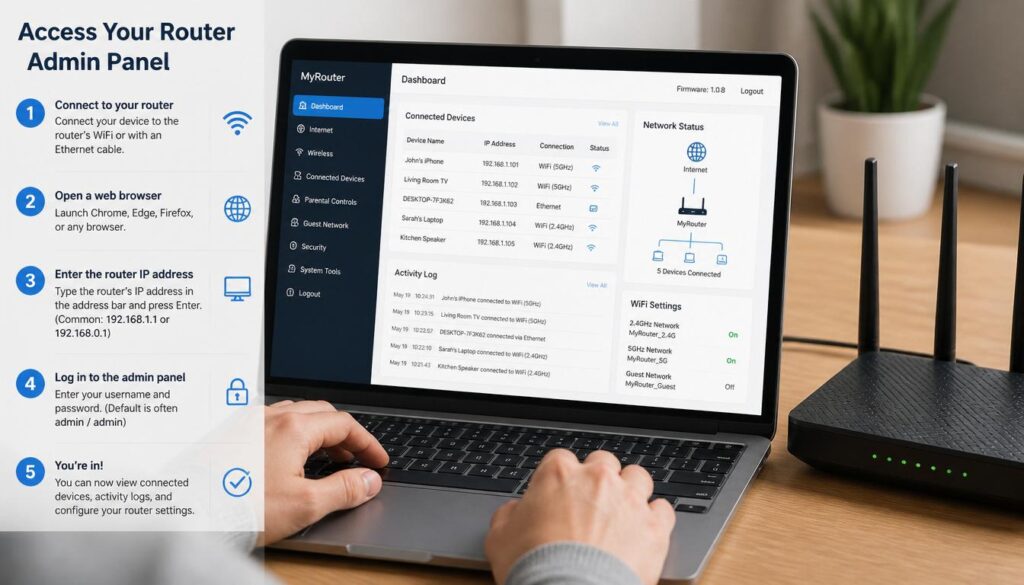
How to Check What Your Router Is Logging
If you want to see what your router records, follow these steps:
Can You See Search History on a WiFi Bill?
Spectrum users dealing with router issues alongside billing questions can check our guide on troubleshooting common Spectrum WiFi problems.
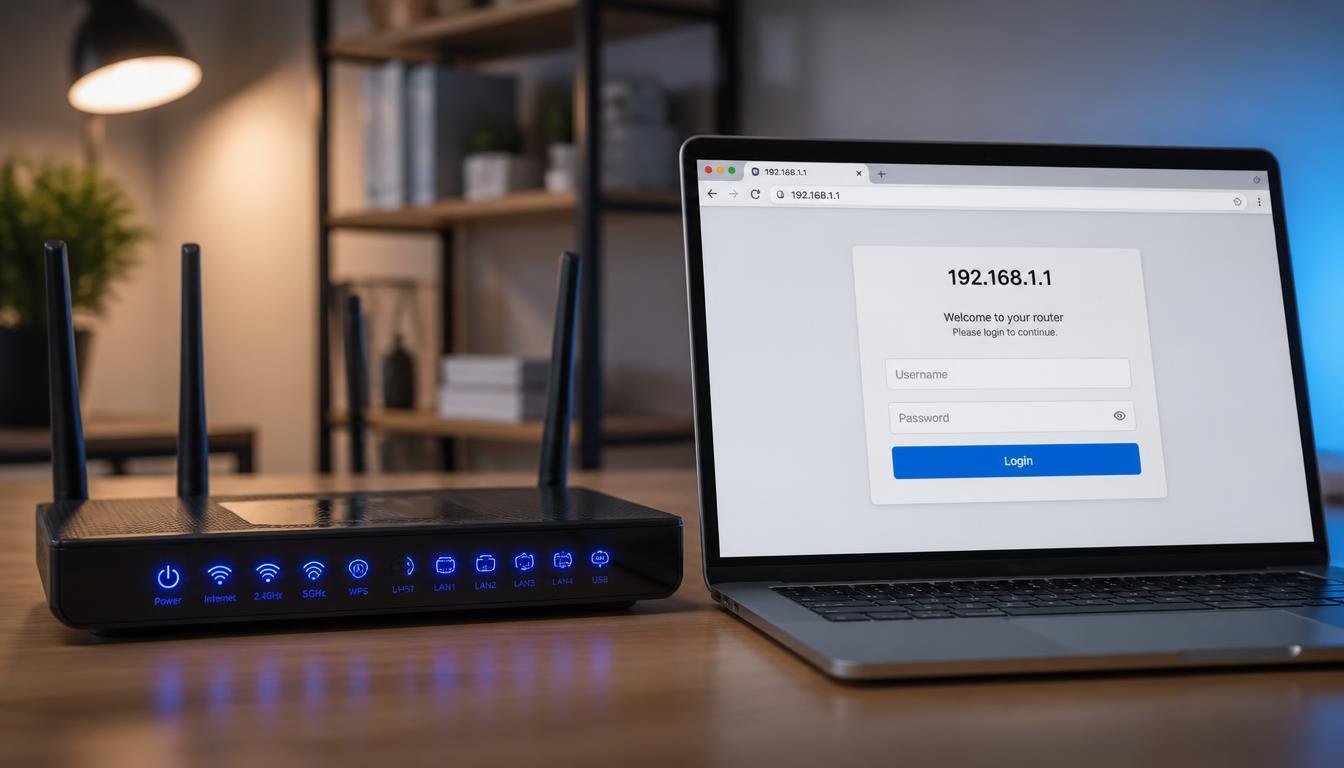
Step 1: Find Your Router’s IP Address
Common router addresses include:
- 192.168.1.1
- 192.168.0.1
You can also find the address in your device’s network settings or on a label attached to the router.
Step 2: Log In to the Router
Open a browser and enter the router’s IP address.
Sign in using the administrator username and password.
Step 3: Open the Logs Section
Look for menu items such as:
- Logs
- System Log
- Activity Log
- Security Log
Step 4: Check Connected Devices
Most routers display:
- Device names
- Connected devices
- Data usage information
Step 5: Review Traffic Logs
If available, traffic logs may show website domains that devices connected to.
Many standard ISP-provided routers do not keep detailed browsing logs by default.
How to Keep Your Search Activity More Private
Use Private or Incognito Mode
This prevents your browser from saving history on your device.
Use a Different DNS Provider
A privacy-focused DNS service may reduce how much information is shared through your ISP’s default DNS system.
Can You See Search History on a WiFi Bill?

Review Router Access
If someone else controls the router, they may have access to its settings and logs.
Use a VPN
A VPN encrypts your internet traffic before it leaves your device.
This makes it much harder for local network administrators or ISPs to see which websites you visit.
Clear Router Logs
If you own the router and have administrator access, you may be able to clear stored logs through the router settings.
Frequently Asked Questions
Can the WiFi owner see your Incognito history?
Not directly.
Incognito mode prevents your browser from saving local history. However, if the router records network activity, the owner may still see website domains that devices connected to.
Can parents see deleted browser history?
Once browser history is deleted, it usually cannot be viewed through the browser itself. However, network logs or monitoring software may still contain records of visited domains.
Does turning off browser history stop the ISP from seeing activity?
No.
Browser settings only affect what is stored on your device. They do not affect information visible at the network level.
Can hotel or public WiFi see what you do online?
Network administrators may be able to see which websites you connect to. They generally cannot see the content of encrypted HTTPS traffic.
Does a VPN hide activity from the person paying the internet bill?
In most cases, yes.
A VPN encrypts your traffic, making it difficult for router administrators and ISPs to see which websites you visit.
Bottom Line
Your WiFi bill will not show your search history, visited websites, or online activity. Internet bills are designed for billing purposes only.
If privacy is a concern, focus on the places where activity may actually be recorded, such as your browser, router, ISP, or monitoring software. Understanding how each of these works will give you a much clearer picture of what information is visible and what remains private.