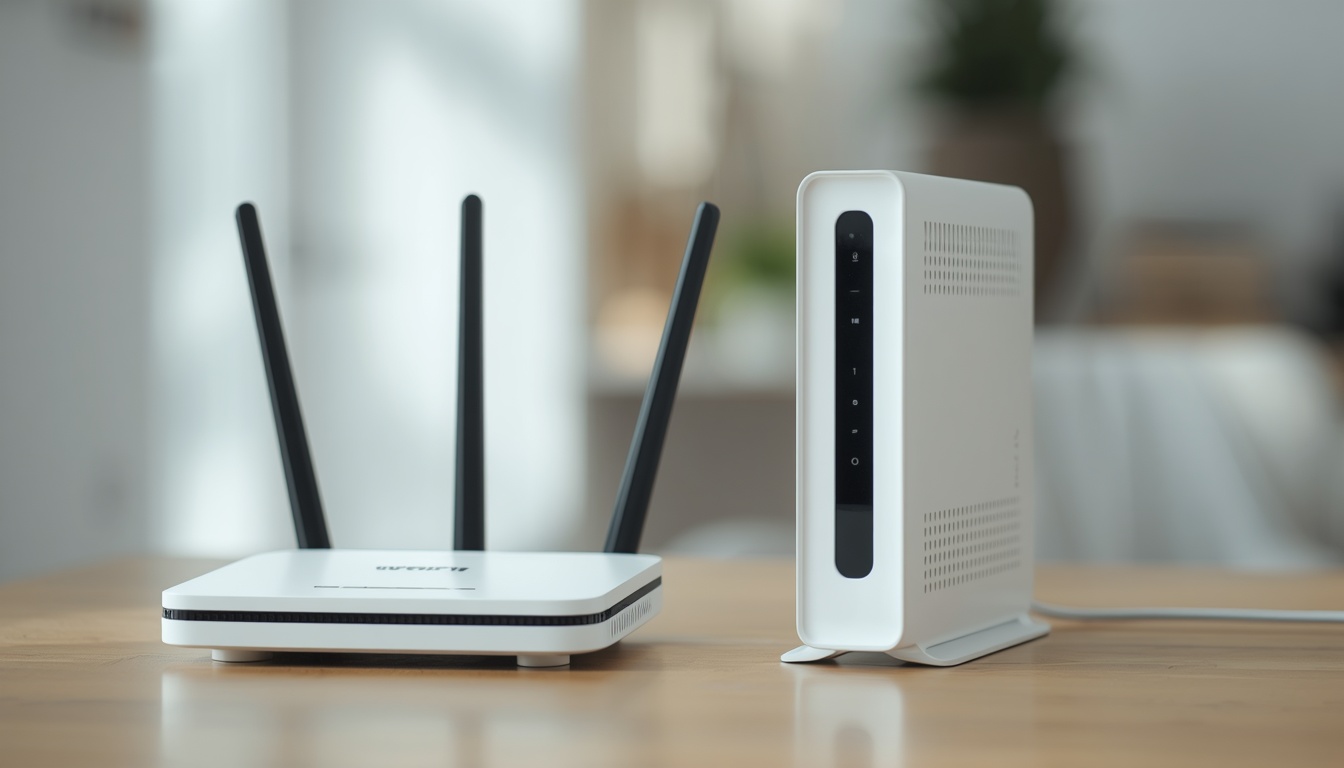
Your phone shows full Wi-Fi bars, the password is correct, yet nothing loads and every app just spins. If you are asking why is my phone not connecting to wifi right now, the short version is this.
Quick Answer:
In most cases your phone is not connecting to Wi-Fi because of a saved network glitch, a router side conflict, or an outdated IP address lease. Forgetting the network and rejoining it fixes the issue for the majority of users within two minutes. If that does not work, a router restart or a full network settings reset resolves nearly every remaining case.
That quick fix solves the common scenario, but it does not explain every situation, especially the frustrating ones where the phone connects but still shows no internet, or where one specific network refuses to work while every other network connects instantly. This guide goes far beyond the basic toggle Wi-Fi off and on advice you have probably already tried. It covers the router side settings competitors rarely mention, the exact iOS and Android bugs reported by real users, and the deeper fixes like static IP configuration, DNS cache clearing, and IP address conflict resolution that actually solve the problem for good.
Why Is My Phone Not Connecting to Wifi? Major Reasons Explained
Before jumping into fixes, it helps to understand what is actually happening in the background. A Wi-Fi connection failure is rarely random. It almost always traces back to one of the following categories.
The router is not assigning your phone a working IP address
Every device on a network needs a unique IP address handed out by the router through a system called DHCP. If the router runs out of available addresses, or if two devices are accidentally handed the same address, your phone will show as connected while the internet simply does not work. This is called an IP address conflict, and it is one of the most overlooked reasons behind connection failures. It rarely gets mentioned in generic troubleshooting guides, yet it is extremely common on routers that have been running for months without a restart.
Saved network profile has become corrupted
Your phone stores a small profile for every network it has ever joined, including the password, security type, and previous IP information. Over time, especially after a router firmware update or a password change, this saved profile can become mismatched with the real network. The phone tries to authenticate using old data, fails silently, and simply refuses to reconnect. This is the root cause behind most complaints where a user insists the password is correct but the phone still will not join.
Interference from other electronics or nearby networks
Cordless phones, microwaves, baby monitors, and Bluetooth accessories all operate close to the 2.4 GHz frequency band. When several of these devices are active near your router, or when neighboring Wi-Fi networks are broadcasting on the same or overlapping channel, your phone can struggle to hold a stable connection even at close range.
If your phone connects fine near the router but drops the signal in other rooms, the problem is often distance rather than a software bug. Our guide on How Do WiFi Boosters Work explains whether a booster is actually worth buying for your home.
Software bugs specific to your phone brand
Apple, Samsung, and other manufacturers occasionally ship updates that introduce Wi-Fi bugs affecting a specific chipset or model. These bugs typically show up as a network appearing grayed out, a spinning connection indicator that never resolves, or Wi-Fi disconnecting every few minutes without warning.
Hardware wear or physical damage
If your phone has been dropped, exposed to water, or is simply old, the internal Wi-Fi antenna or its connector can degrade. This shows up as inconsistent signal strength that has nothing to do with your router or settings, and it is the one cause that no software fix can solve.
VPN, DNS, or security software conflicts
A VPN app or a third party DNS changer can silently block the handshake between your phone and the router, especially after an app update changes background permissions. This is a growing cause of Wi-Fi failures that most basic troubleshooting articles skip entirely.
If your phone shows connected but nothing loads, it is worth checking whether the issue is with your device or your network itself. Our detailed guide on Is My Internet Working? Check Just In 60 Secon
ds walks through a fast way to confirm this before you spend time troubleshooting your phone.
How to Fix a Phone That Will Not Connect to Wi-Fi
This master troubleshooting sequence moves from the fastest fixes to the deeper technical ones. Work through it in order rather than jumping to the last step first.
Step 1: Toggle Airplane Mode.
Turn Airplane Mode on, wait fifteen seconds, then turn it off. This forces your phone to release and renew its wireless connection from scratch, which resolves a large share of temporary glitches instantly.
Step 2: Restart your phone.
A simple restart clears temporary memory and forces every background network process to reload cleanly.
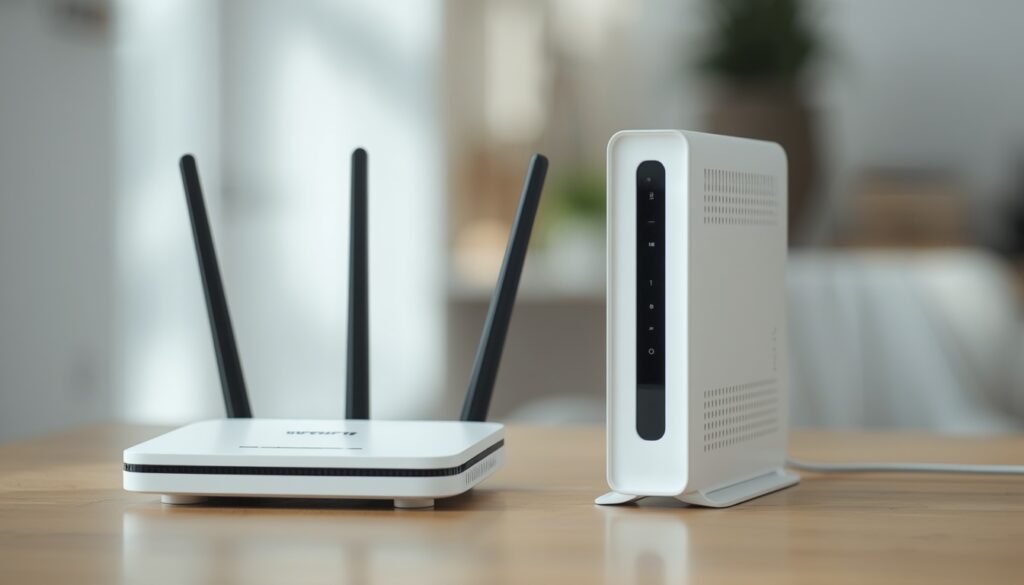
Step 3: Restart your router and modem.
Unplug both devices, wait a full thirty seconds so the router capacitors discharge completely, then plug the modem in first, wait for its lights to stabilize, and plug in the router afterward. This single step resolves IP address conflicts because it forces the router to reissue every device a fresh, unique address.
Why Is My Phone Not Connecting to Wifi?
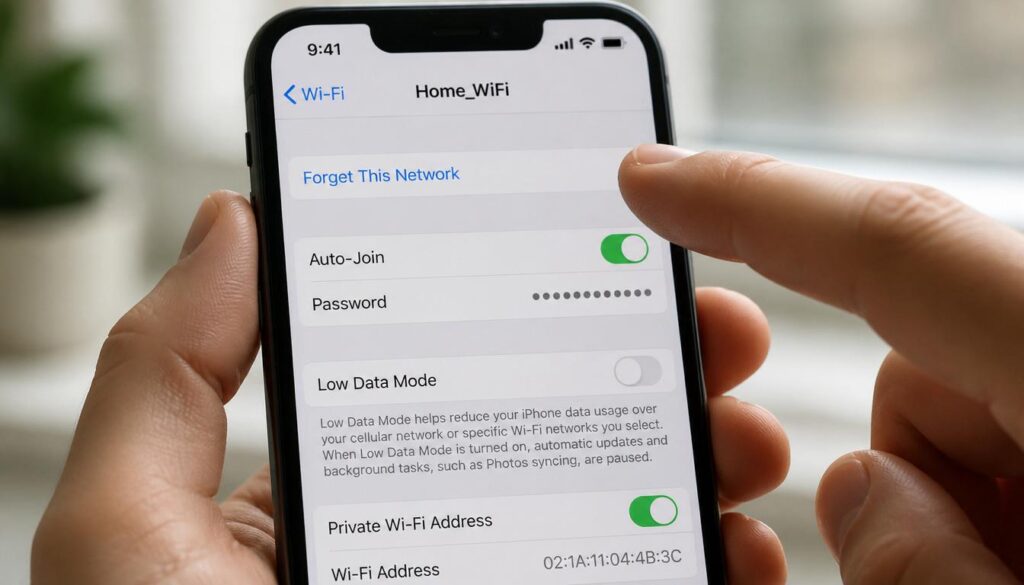
Step 4: Forget the network and rejoin it.
On both iPhone and Android this deletes the corrupted saved profile mentioned earlier. Go into Wi-Fi settings, select the network, choose forget or remove, then rejoin by typing the password fresh.
Step 5: Confirm the password by checking the router directly.
Log into your router admin panel or check the sticker on the device itself, since a password saved incorrectly in a password manager will keep failing silently even when you believe it is correct.
Why Is My Phone Not Connecting to Wifi?
Why Is My Phone Not Connecting to Wifi?
Step 6: Clear the network cache.
On Android this is done through Settings, Apps, then finding System UI or Wi-Fi services and clearing cache. This removes stored DNS and connection data that can cause the same failure to repeat even after forgetting the network.
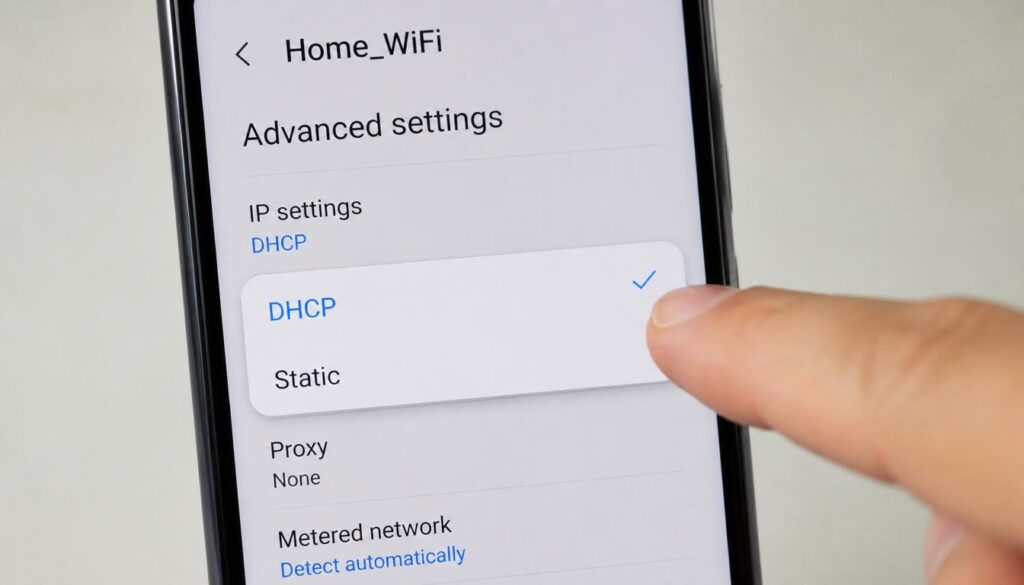
Step 7: Check for a static IP or APN misconfiguration.
If someone previously set a static IP address on your phone for a different network, that stale configuration can block a new network from assigning an address correctly. Go into the advanced Wi-Fi settings for the network and switch the IP setting back to automatic or DHCP unless you specifically need a static address for a smart home or work setup.
Why Is My Phone Not Connecting to Wifi?
Why Is My Phone Not Connecting to Wifi?
Step 8: Run a full network settings reset.
This is the deepest software fix available and it wipes every saved Wi-Fi network, Bluetooth pairing, and VPN configuration, forcing your phone to rebuild its entire network profile from zero.
Why Is My Phone Not Connecting to Wifi on Android: Specific Troubleshooting Steps
Android users dealing with a phone that refuses to join Wi-Fi should also check battery saver mode, since aggressive power management on Samsung and other Android skins can throttle background Wi-Fi scanning. Go to Settings, then Battery, and disable battery saver temporarily to test. Also check Settings, Connections, then Wi-Fi, and open the three dot menu to verify auto reconnect and smart network switch are both enabled, since Android sometimes silently disables a saved network after repeated failed handshake attempts. If the issue only happens on one specific network, remove any assigned static IP under the network’s advanced options, and check whether a VPN app installed on the device is set to always on, since this can intercept the connection attempt before it completes.
Specific Troubleshooting Steps for Apple iPhones
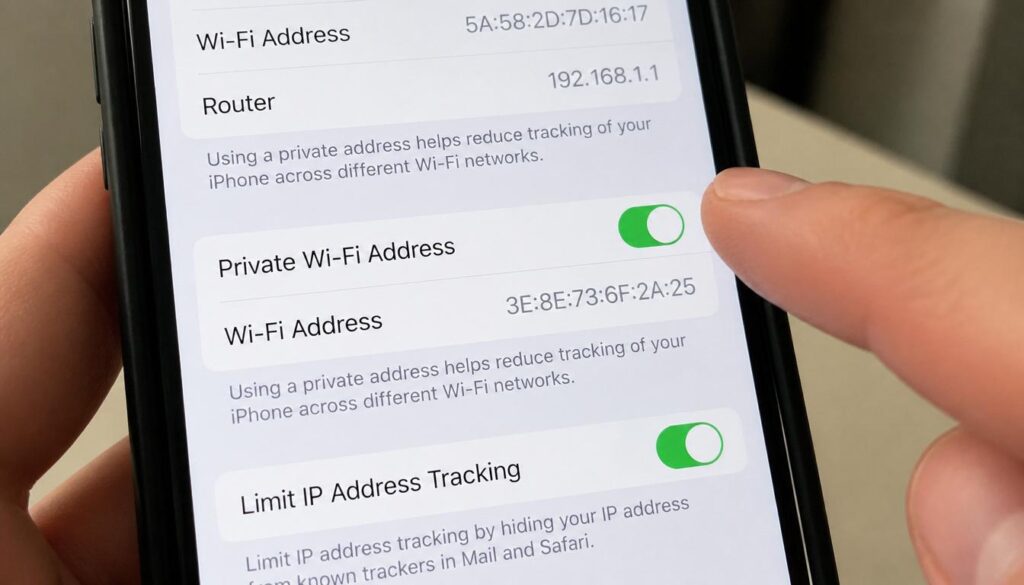
On iPhone, the most overlooked culprit is the Private Wi-Fi Address feature. Go to Settings, Wi-Fi, tap the blue information icon next to the network name, and turn off Private Wi-Fi Address. Some older routers and even some newer mesh systems do not handle Apple’s rotating address feature correctly, which causes the exact symptom of a network showing as saved but never actually connecting. Also check Settings, General, VPN and Device Management to confirm no leftover configuration profile is forcing a specific DNS or proxy setting. If your iPhone shows a network with a blue checkmark but no internet access, tap Reset Network Settings under Settings, General, Transfer or Reset, since Apple’s own support documentation only recommends this as a last resort without explaining the underlying IP conflict it actually fixes.
Why Is My Phone Not Connecting to Wifi?
Why Is My Phone Not Connecting to Wifi?
If your Android phone keeps rejecting the correct password or shows an authentication error instead of connecting, this is a slightly different issue than a general connection failure. We cover it in full detail in our guide on Authentication Issue WiFi.
Solving the Connected to Wi-Fi But No Internet Error
This is a different and often more frustrating problem, because your phone genuinely joins the network and shows full signal bars, yet no website, app, or download will load. Real users on forums describe this exact scenario after entering the correct password with no success on the actual internet connection despite a successful join.
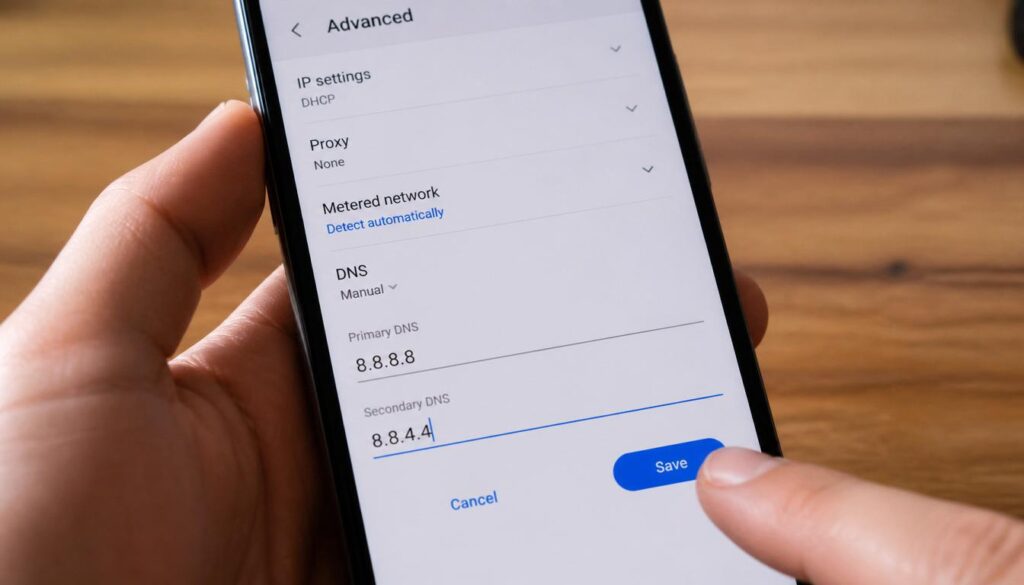
Start by testing whether the issue is isolated to your phone or affects the whole household. If a laptop connected to the same router also shows the network without internet access, the problem sits with your router or your internet provider rather than your phone, and restarting the router as described earlier is the correct next step. If only your phone is affected, the most likely cause is a DNS resolution failure. Go into the network’s advanced settings and manually change the DNS servers to a public option such as 8.8.8.8 and 8.8.4.4, since your phone can sometimes hold onto a broken DNS entry left over from a previous network or a VPN app that was uninstalled improperly. Another common cause is a captive portal login screen, common on hotel, airport, or office networks, that failed to fully load. Open a browser and try visiting any plain website address to trigger the login page manually rather than waiting for your phone to detect it automatically.
Why Is My Phone Not Connecting to Wifi?
Why Is My Phone Not Connecting to Wifi?
If none of this resolves it, check whether Low Data Mode or a data saving app is restricting background network verification, since some Android and iOS optimization tools mistakenly flag a legitimate network as untrusted and quietly block traffic while still displaying a connected status.
DNS problems are one of the most common reasons a phone stays connected without loading anything. If changing the DNS servers on your phone does not help, the issue might trace back to your router or PC setup, covered in our guide on DNS Server Not Responding Windows 11.
Frequently Asked Questions
Why does my wifi on my iPhone keep disconnecting even though the signal looks strong?
This usually points to the Private Wi-Fi Address feature conflicting with your router, or a background VPN profile interrupting the connection every few minutes. Turning off Private Wi-Fi Address for that specific network resolves this in most reported cases.
Wifi works on phone but not computer, what does that mean?
It means the issue is not with your router or internet service, since the network is clearly functioning. The problem is isolated to the computer’s network adapter or saved profile, and the same forget and rejoin process used on phones applies there as well.
Why is my phone not working without wifi even though I have mobile data?
This typically happens when Wi-Fi Assist or a similar setting is disabled, or when an app is specifically restricted from using cellular data in its individual permission settings, so it only ever attempts to load over Wi-Fi.
My laptop is not connecting to wifi either, is this the same fix?
Yes, the router restart, forget and rejoin, and DNS reset steps apply equally to laptops. The main difference is that Windows machines benefit from running the built in network troubleshooter first, since it automatically detects certain IP conflicts.
Why does my tablet wont connect to wifi even though my phone works fine on the same network?
Tablets are especially prone to saved network corruption because they connect to Wi-Fi far less frequently than phones. Forgetting the network on the tablet specifically, rather than assuming the fix applies automatically, is usually required.
Macbook connected to wifi but no internet, is the fix different?
No, the underlying cause is almost always the same DNS or IP lease issue described above. On a Mac, open Network preferences, select the Wi-Fi connection, and click Advanced to manually renew the DHCP lease as an equivalent step.
If your Wi-Fi issue is limited to one specific Android app while everything else works fine, an app cache problem could be the real cause instead of your network. Check our step by step guide on How to Clear Cache on Android Without Deleting Apps to rule this out.
Conclusion
If you started this guide struggling with a phone that refuses to stay online, the path forward is straightforward. Work through the fast fixes first, including an airplane mode toggle, a full device and router restart, and forgetting the saved network profile. If the problem persists or shows up as connected with no internet, move into the deeper fixes covering DNS servers, static IP settings, and device specific bugs like Private Wi-Fi Address on iPhone. Following these steps in order resolves the overwhelming majority of Wi-Fi connection failures without needing a factory reset or a trip to a repair shop.